Bulk UDIN Generation Under TRA, Audit & Assurance Function
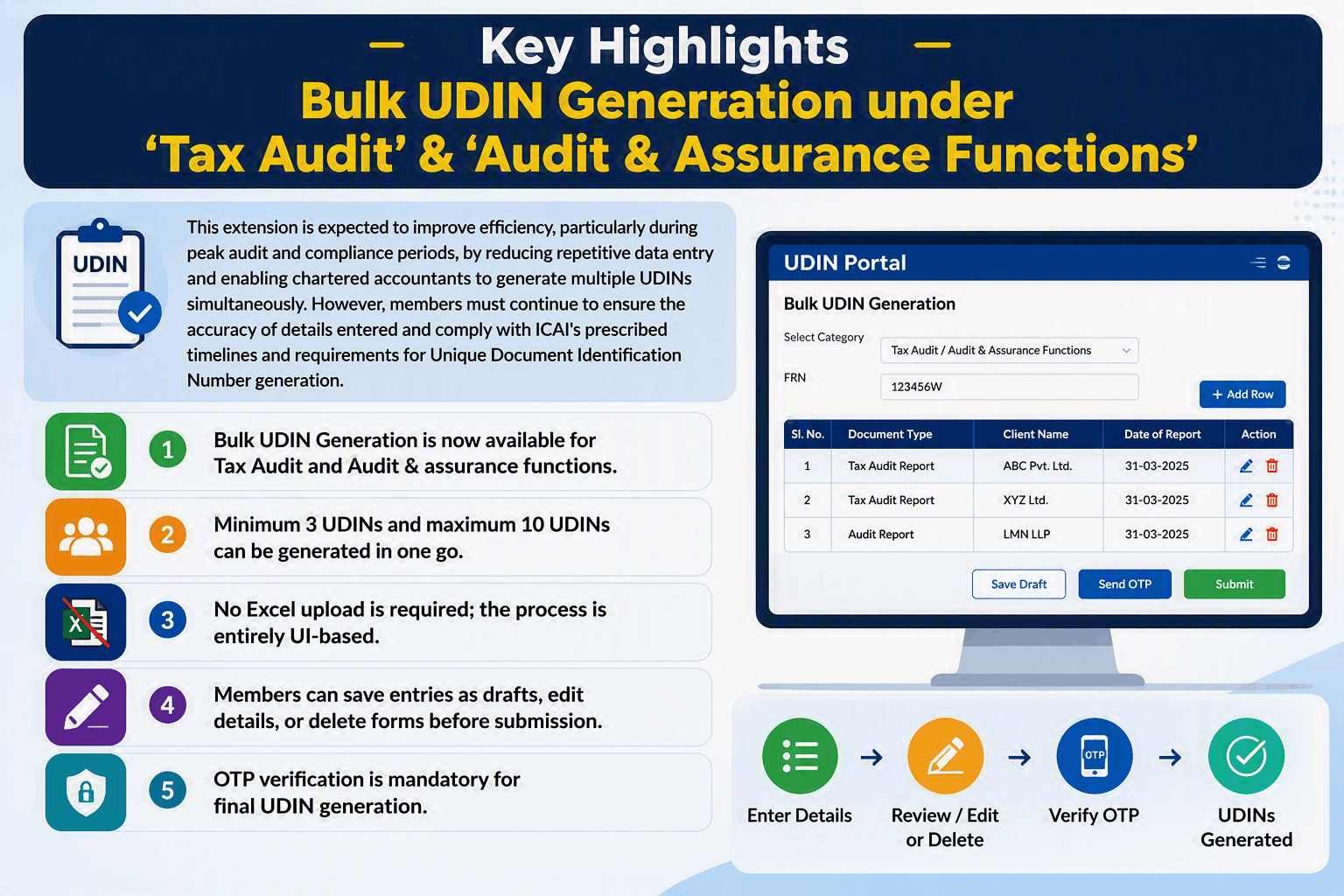
Table of Contents
Bulk UDIN Generation under ‘Tax Audit’ & ‘Audit & Assurance Functions’
The Unique Document Identification Number (UDIN) is an 18-digit unique number generated by ICAI for documents certified or attested by practising Chartered Accountants. Introduced in phases from 2019, UDIN helps prevent document forgery and enables regulators, banks, and other stakeholders to verify the authenticity of certificates, audit reports, and other professional documents.
Generate UDINs for multiple forms/documents under the ‘Tax Audit’ and ‘Audit & Assurance Functions’ categories?
Previously, the Bulk Unique Document Identification Number Generation facility was available only for documents falling under the ‘Certificates’ category. This facility has now been extended to the ‘Tax Audit’ and ‘Audit & Assurance Functions’ categories as well, allowing members to generate multiple Unique Document Identification Number’s simultaneously, thereby enhancing efficiency and saving time.
Unique Document Identification Numbers can be generated at one time via Bulk UDIN Generation facility under these categories
In a significant enhancement, ICAI has extended the Bulk UDIN Generation Facility to the ‘Tax Audit’ and ‘Audit & Assurance Functions’ categories, which was previously available only for ‘Certificates.’ As per the FAQs issued on 18 August 2026, members can now generate 3 to 10 UDINs in a single batch under these categories. The facility allows users to review, edit, or delete document details before final submission and generate UDINs after OTP verification.
A member can generate a minimum of 3 Unique Document Identification Numbers and a maximum of 10 UDINs in a single transaction using the Bulk UDIN Generation feature. The facility is available directly through the User Interface (UI) of the UDIN Portal and does not require the upload of an Excel file, unlike the bulk generation process available under the ‘Certificates’ category.
Procedure for generating UDINs in bulk under the ‘Tax Audit’ and ‘Audit & Assurance Functions’ categories?
To generate Unique Document Identification Numbers in bulk, follow the steps below:
- Log in to the UDIN Portal.
- Click on the ‘Bulk UDIN’ tab available in the menu bar.
- Select the relevant Firm Registration Number (FRN).
- Choose the applicable category:
- Tax Audit, or
- Audit & Assurance Functions.
- Click on the ‘Add Row’ button available on the right-hand side.
- The UDIN generation screen will open. Since this functionality is UI-based, the process remains the same as that followed for individual UDIN generation.
- Enter the required details for each form/document.
- Click ‘Save Draft’ if you wish to save the details for later use, or select ‘Send OTP’ to proceed.
- Verify the OTP received on the registered mobile number/email.
- Click ‘Submit’ to complete the process.
Upon successful submission, the respective UDINs will be generated for all the forms/documents entered.
Key Highlights Bulk UDIN Generation under ‘Tax Audit’ & ‘Audit & Assurance Functions’
This extension is expected to improve efficiency, particularly during peak audit and compliance periods, by reducing repetitive data entry and enabling chartered accountants to generate multiple UDINs simultaneously. However, members must continue to ensure the accuracy of details entered and comply with ICAI’s prescribed timelines and requirements for Unique Document Identification Number generation. Details of forms/documents added for Bulk UDIN Generation be edited or removed before final submission
- All forms/documents added for Bulk UDIN Generation are displayed in a consolidated list on the User Interface. Before final submission, members can Edit the details of any form/document, or Delete any form/document that was added inadvertently. This flexibility ensures that any errors or omissions can be corrected before the UDINs are generated.
- Bulk UDIN Generation is now available for Tax Audit and Audit & assurance functions.
- Minimum 3 UDINs and maximum 10 UDINs can be generated in one go.
- No Excel upload is required; the process is entirely UI-based.
- Members can save entries as drafts, edit details, or delete forms before submission.
- OTP verification is mandatory for final UDIN generation.
**********************************************************
If this article has helped you in any way, i would appreciate if you could share/like it or leave a comment. Thank you for visiting my blog.
Legal Disclaimer:
The information / articles & any relies to the comments on this blog are provided purely for informational and educational purposes only & are purely based on my understanding / knowledge. They do noy constitute legal advice or legal opinions. The information / articles and any replies to the comments are intended but not promised or guaranteed to be current, complete, or up-to-date and should in no way be taken as a legal advice or an indication of future results. Therefore, i can not take any responsibility for the results or consequences of any attempt to use or adopt any of the information presented on this blog. You are advised not to act or rely on any information / articles contained without first seeking the advice of a practicing professional.